
Depending on the OAuth client type, the following permissions are required:
API Access (2-legged authorization):
Select the access type “Translation Service” during the creation of your OAuth client:
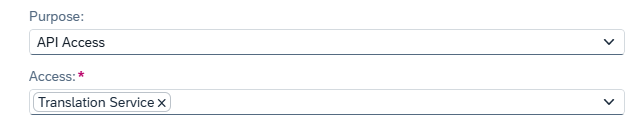
We recommend adding all access types listed here to ensure that the OAuth client has the necessary permissions for the SAP Analytics Cloud (SAC) connector within the Performer Suite.
For more information, check this page:
SAC Connection
Interactive Usage (3-legged authorization):
Assign the Role “Translator” to the user that you’re using in the Translation Steward:
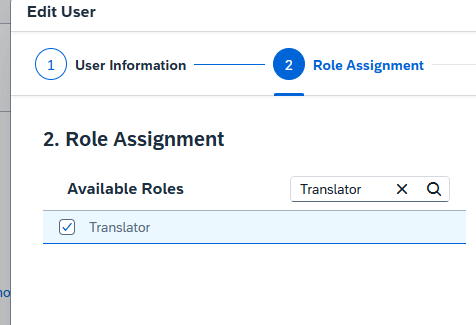
Make sure that the user being used also has access to the translation area in SAP Analytics Cloud (SAC) and is authorized to manually translate the SAC objects that are intended to be processed in the Translation Steward.
If access is restricted, the required permissions must be granted in SAC.
In this SAP documentation, you can find more information regarding the SAC permissions:
https://help.sap.com/docs/SAP_ANALYTICS_CLOUD/00f68c2e08b941f081002fd3691d86a7/8310076258a94a4194a926506b80c390.html?locale=en-US
For more information, check this page:
Necessary SAP Authorizations