
After all relevant connection parameters have been entered in SAC Connection, the Performer Suite can connect to the SAC system.
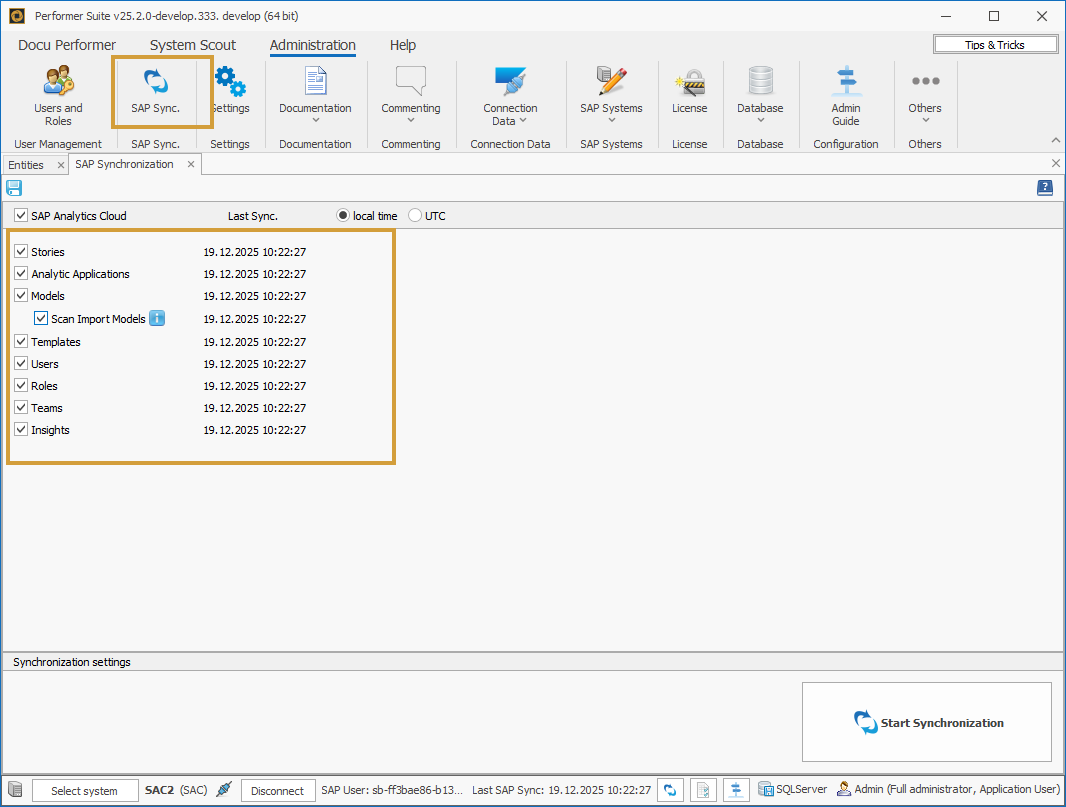
In the next step, the SAC objects can be synchronized:
Import Models can only be synchronized if the SAC login uses an OAuth client of type “Interactive Usage” (two-legged).
In this area, you can select the SAC object types relevant for synchronization.
The synchronization is started by clicking on "Start Synchronization".