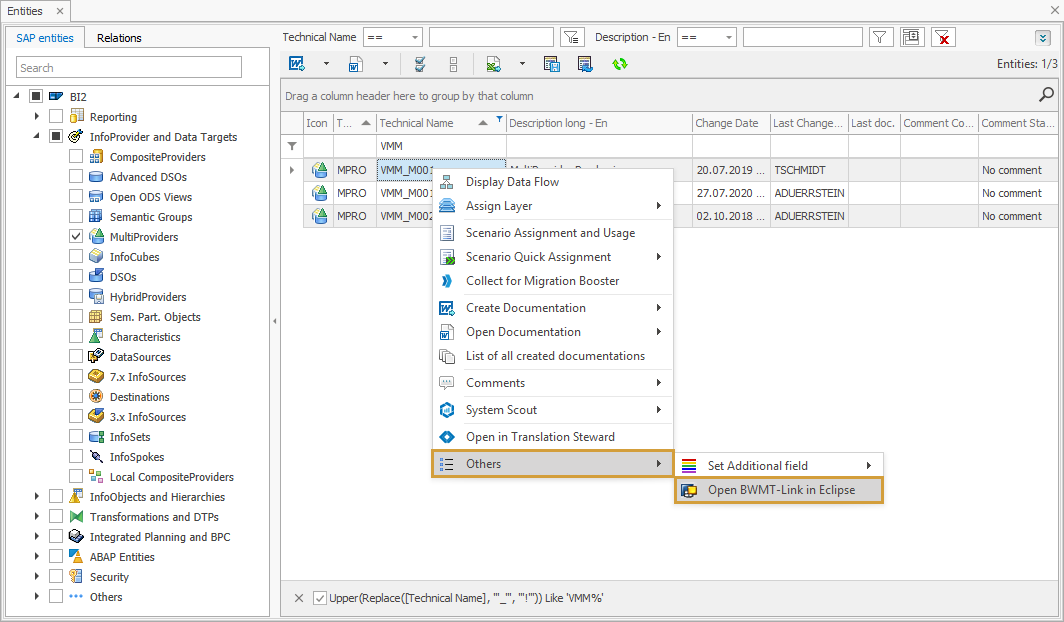
We offer the option to open an Entity directly in Eclipse or HANA Studio. This function is implemented in all possible requests of an entity in the Context menu, like:
-
Data Flows (Tree View, Network)
-
Analysis
-
Grid
-
Scenarios
In the table below you will find all supported entities where you can open it directly in Eclipse / HANA Studio.
-
DSO
-
InfoCube
-
Advanced DSO
-
MultiProvider
-
InfoSets
-
Characteristic (InfoProvider)
-
7.x InfoSource
-
HybridProvider
-
CompositeProvider
-
HANA CompositeProvider
-
Open ODS View
-
Semantic Partitioned Object
-
Open Hub Destination
-
Aggregation Level
-
Characteristic (InfoObject)
-
Time Characteristic (InfoObject)
-
Unit of Measurement (InfoObject)
-
Key Figure (InfoObject)
-
Query
-
Calculated Key Figure
-
Restricted Key Figure
-
Structure
-
Filter
-
Variable
-
Transformation
-
DataSource
-
If Eclipse or HANA Studio is not installed, you receive a Windows message asking with which application you would want to open the file.
-
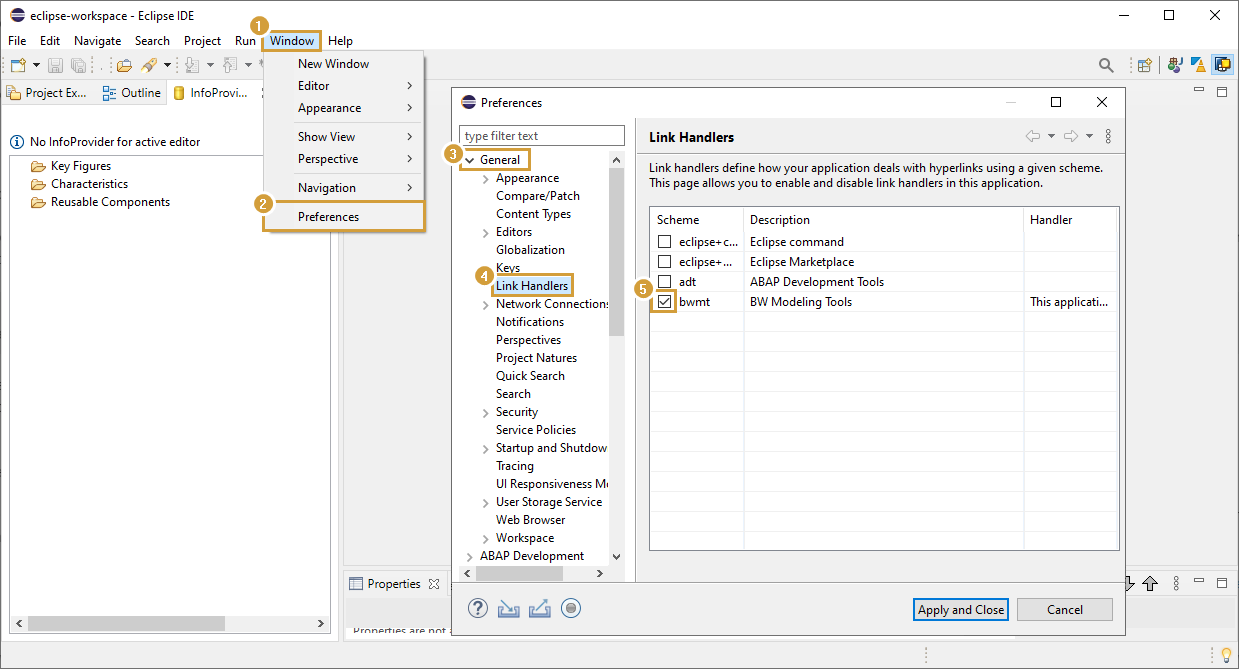
Make sure you set in the ECLIPSE preferences (General > Link Handlers) to open the BWMT-Hyperlinks with ECLIPSE (see screenshot below).