

The System Scout for SAP BW shows its strength in the daily work:
-
Extensive investigation and where-used analyses can be performed by pressing a button.
-
The time savings can be especially quite valuable in critical situations, e.g., when it comes to finding errors in reports and fix it.
-
We realised really difficult -but most wanted tasks, such as tracking the mapping of InfoObjects over the entire Data Flow.
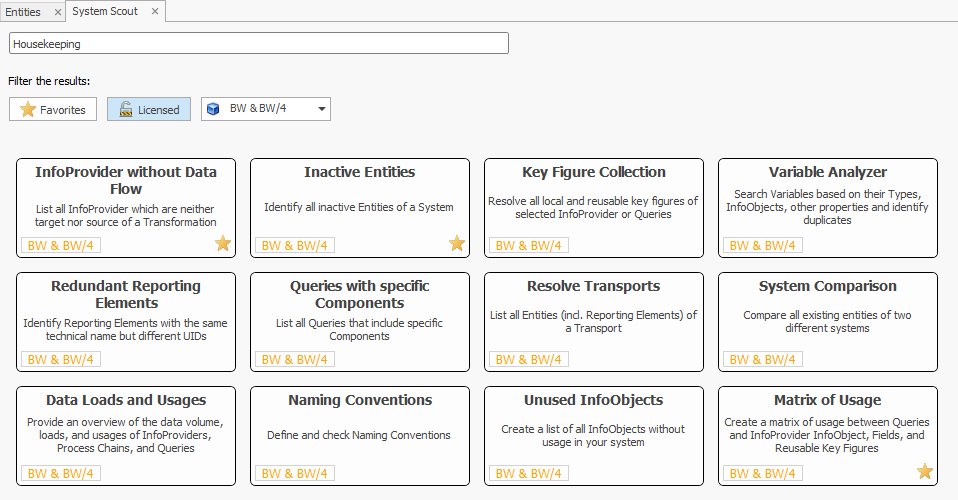
The System Scout can be licensed optionally and offers the following functions:

All available functions can be searched based on keywords via the search view:

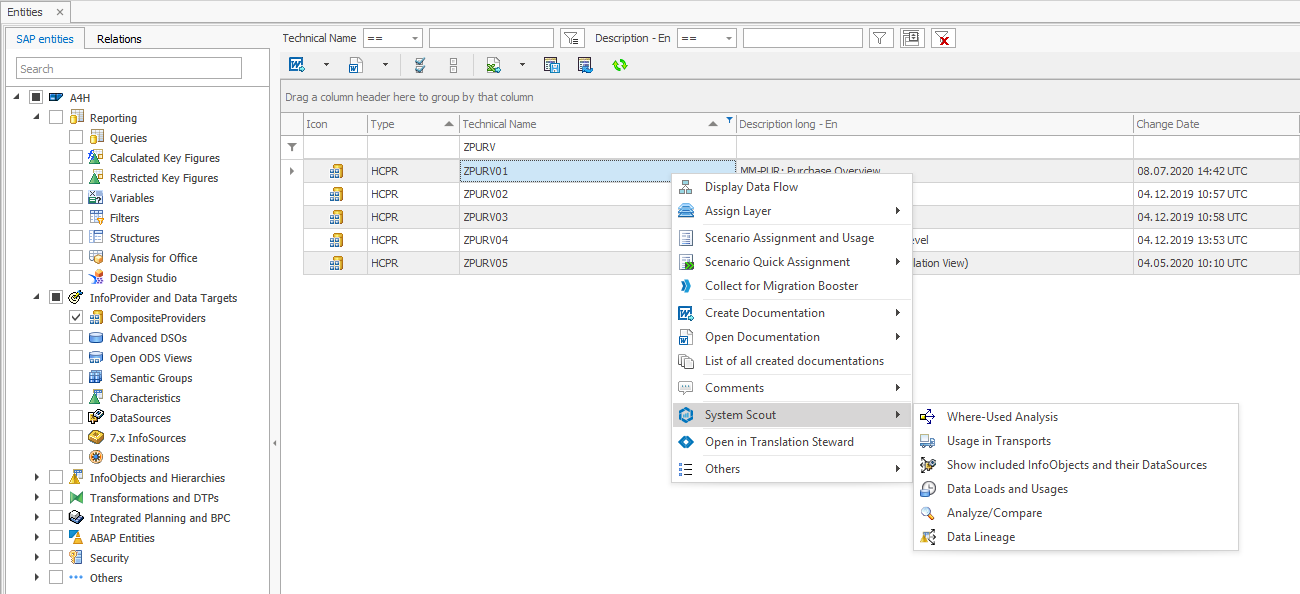
Some of the functionalities are also available from the context menu in the grid.
This might also interest you:
- System Scout for BO
- System Scout for BO
- System Scout for BO
- System Scout for BO
- System Scout for BO
- System Scout for BO
- System Scout for BO
- System Scout for BO
- System Scout for BW
- System Scout for BW
- System Scout for BW
- System Scout for BW
- System Scout for BW
- System Scout for BW
- System Scout for BW
- System Scout for BW
- System Scout for Datasphere
- System Scout for Datasphere
- System Scout for Datasphere
- System Scout for Datasphere
The following analysis functions are available in System Scout:
-
Open BWMT Link in Eclipse or HANA Studio -
Redundant Reporting Elements -
Queries with specific Components -
Resolve Transports -
InfoProvider without Data Flow -
System Comparison BW -
Data Loads and Usages -
Sources of Master Data -
Naming Conventions BW -
InfoObject Mix in Reporting Elements -
Inactive Entities -
Roles for Queries -
Key Figure Collection -
Unused InfoObjects -
List Extended CDS Views -
Variable Analyzer -
BW Code Scan -
Constant Value Scan -
ABAP Relations -
Authorized Users -
Process Chain Runtimes -
Scheduled Process Chains