General
The System Scout provides the functionality to detect and list Look-Ups in Transformations, Update- and Transfer Rules by scanning source code and transformation settings.
Integration of Look-Ups in the Data Flow
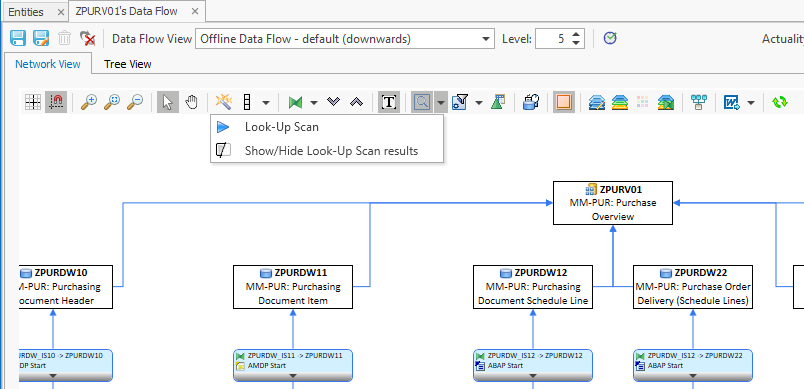
To search for Look-Ups in Transformations first generate the Data Flow of the InfoProvider, then select the button “Execute Scan for Look-Ups”.
The following window offers to define settings for the scan:
-
Look-Ups (Select statements on DSOs, InfoObjects and database tables)
-
Scan for calls of:
-
Includes
-
Function Modules
-
Methods
-
Reports
-
Additional scan of nested Look-Ups in called ABAP programs
-
-
Add the type of routine where keyword was found (Start-, Endroutine)
After the relevant settings have been selected, click on "Start":
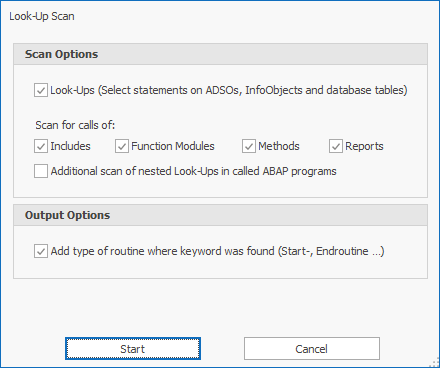
Nested look-ups can also be displayed via the checkbox "Additional scan of nested Look-Ups in called ABAP programs"
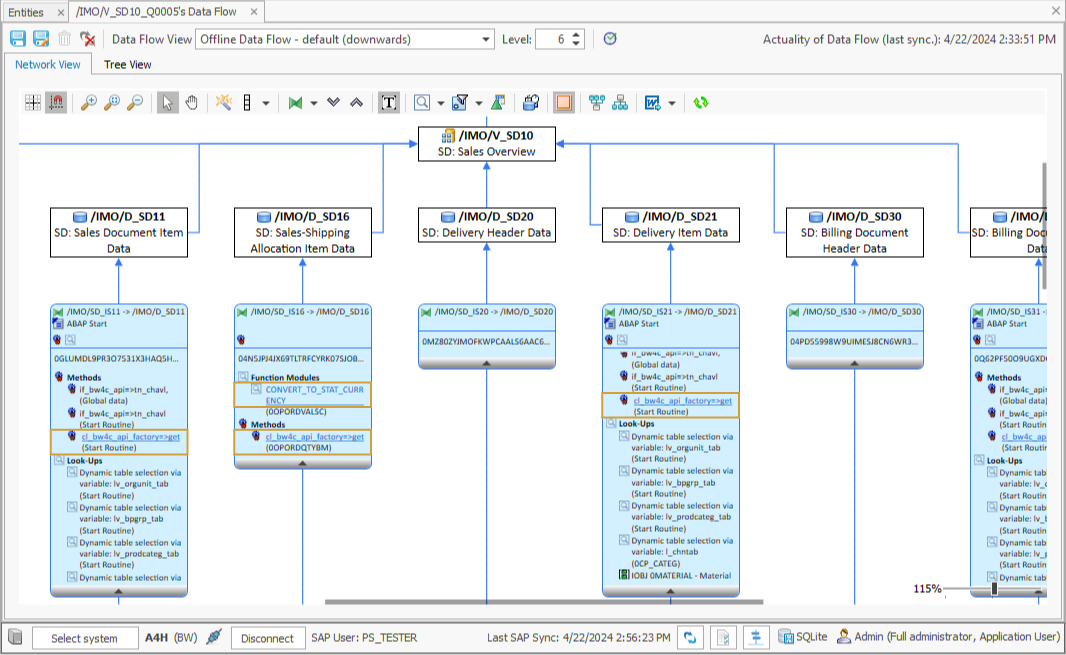
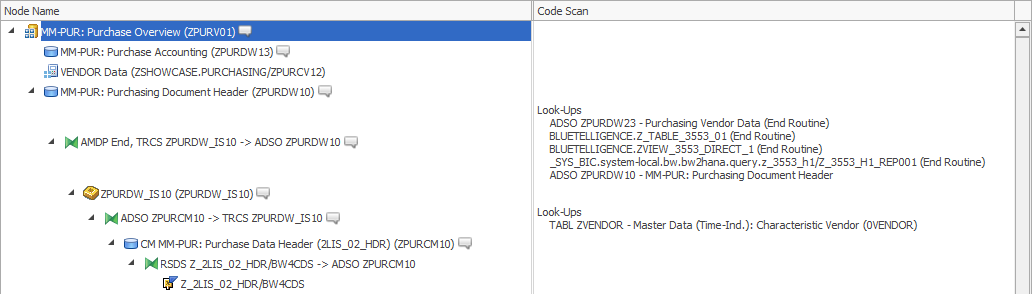
The result of the scan is displayed in the following way:
|
Tree View |
Network View |
|---|---|
|
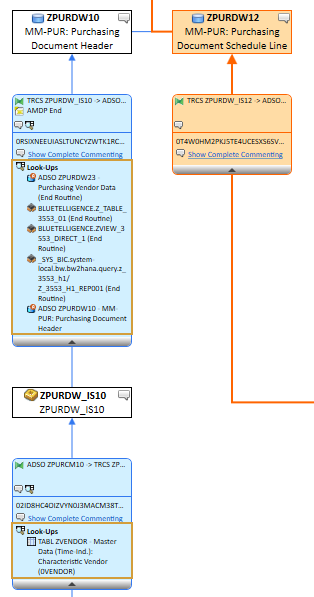
|
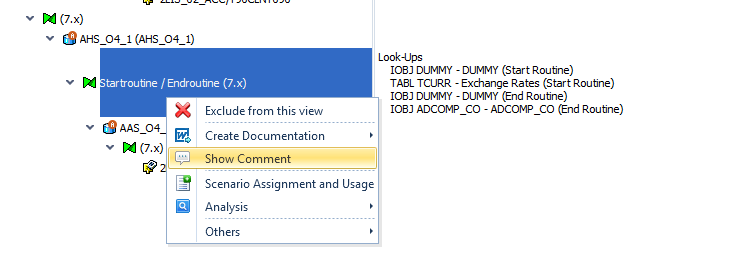
Insert Look-Ups in comments of Transformations/Rules
Within the comments of Transformations/Rules, the possibility to insert the overview of Look-Ups is offered by right mouse click. Start this by editing the comment and then a right-click in any rich text box.
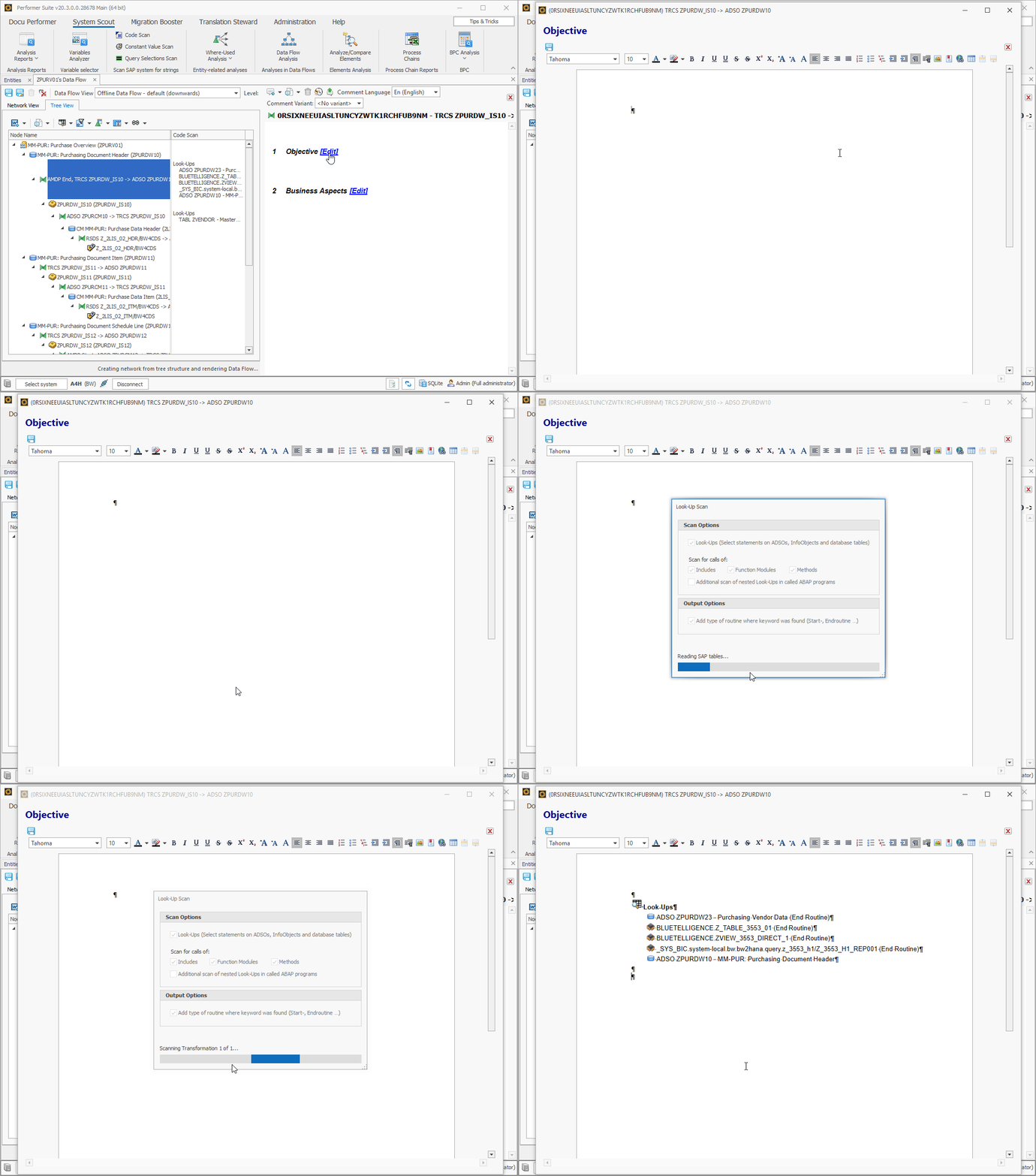
Opening ABAP Relations
ABAP Relations can also be opened from the data flow after performing a Look-up Scan. Supported and synchronized objects are highlighted. When clicking them, the ABAP Relations of them are opened.