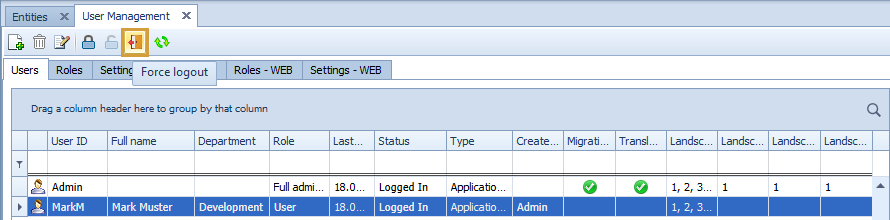
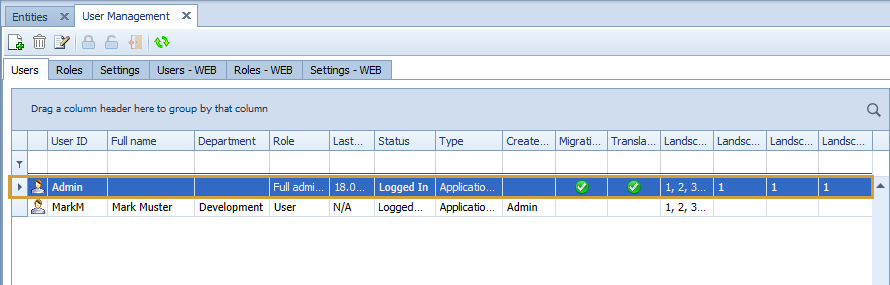
In the "Users“-tab, existing Performer Suite Users are shown. New users can be created, edited, or deleted.
Default User
The “Admin”-User is predefined and cannot be renamed nor deleted.
Please keep in mind: The default Admin User should actively be used in your daily work and uses up a license count.
Creating and Editing Users
-
Application User:
We recommend you create all your Performer Suite User to be an 'Application User'. This 'Application User' can switch within the Performer Suite between all SAP-Systems (BW, BO, and HANA).
Use the Role to control which authorizations this 'Application User' is allowed to have.
-
SAP User: An SAP BW-, BO-or HANA-User can be used to log into the Performer Suite. This SAP-User can be created manually or automatically with a simple login-process with the SAP-User credentials to the Performer Suite.
In the "Settings"-tab, the option for 'logging into the Performer Suite with an SAP-Users creates automatically a Performer Suite-User' can be enabled or disabled. The User ID and user password for the Performer Suite correspond to the SAP-User ID and password. -
Roles: New and existing roles can be managed in the tab "Roles". Roles can be assigned to Performer Suite-Users from a drop-down menu. The role defines the user’s authorizations and privileges for using functions and areas within the Performer Suite.
For SAP BO- or SAP HANA-Users, only roles that allow access to BO or HANA components within the Performer Suite can be assigned. -
User ID: The User ID is a unique name for users. For manually created SAP users, the user ID has to be identical to the SAP-User name.
-
Password: Only the Application User has a password. Please use the SAP password for SAP-Users.
-
E-Mail Address: The submission of an email address is mandatory for password recovery.
-
Full name/Department: Optional information.
-
Authorized for products - Migration Booster/Translations Steward: Handles if the user has general access to the products Migration Booster and Translation Steward.
-
Business Warehouse Landscapes:
An "Application User" or "SAP BW-User" can be assigned to your licensed BW-Systems.
The Performer Suite-User will only have access to systems, which have been assigned to him.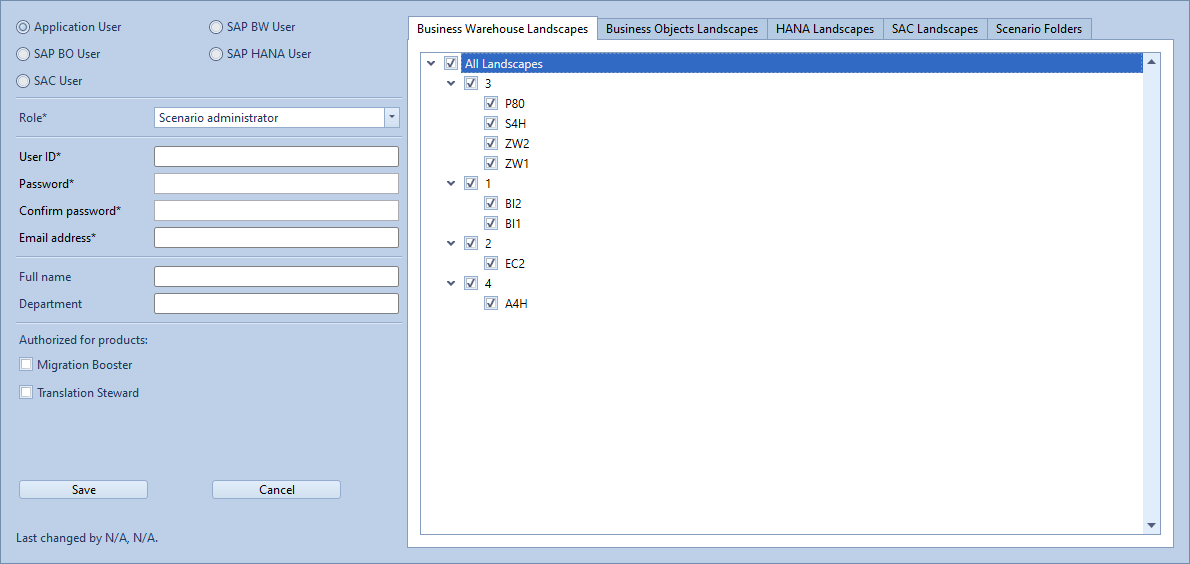
-
Business Objects Landscapes:
An "Application User" or "SAP BO-User" can be assigned to licensed BO-Systems (if their role allows access to the BO component).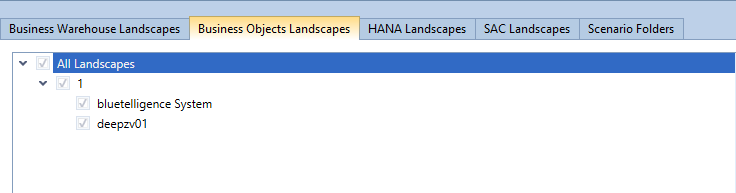
-
HANA Landscapes:
An "Application User" or "SAP HANA-User" can be assigned to licensed HANA systems (if their role allows access to the HANA component).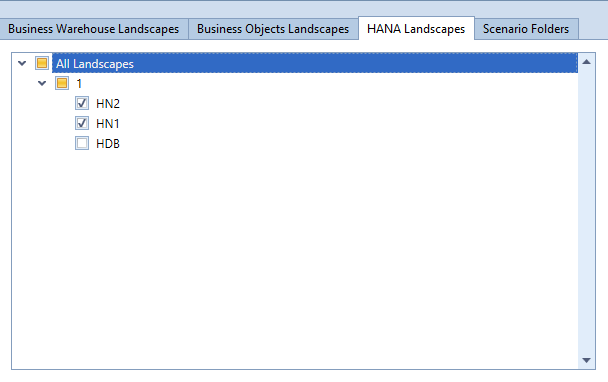
-
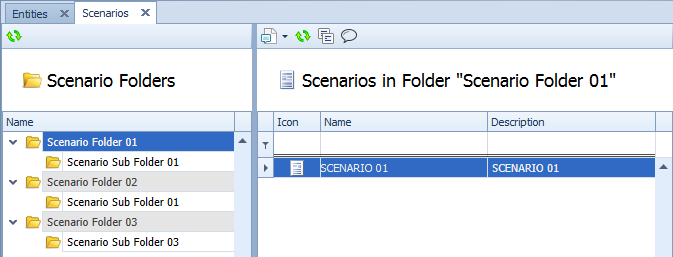
Scenario Folders: It is possible to authorize a Performer Suite-User to access specific Scenario folders.
You can also specify in the creation settings of a role, whether the user has the right to change, delete, or create Scenarios.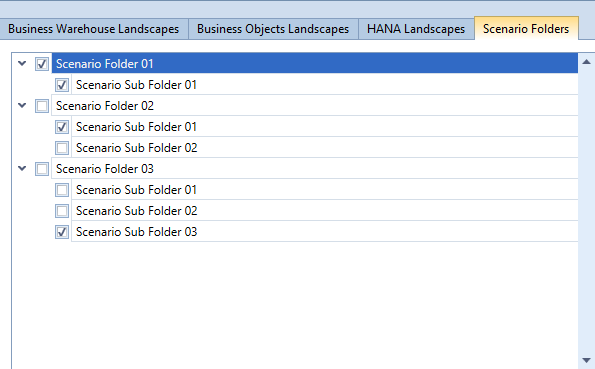
License counter
Questions concerning your licensing model? Please contact us: info@bluetelligence.de
1 license-count = 1 User, no matter how many systems (connectors) the user is allowed to use.
Example:
-
1 Application User
-
BW + BO + HANA + SAC enabled in the User Management
= only 1 license-count is used.
-
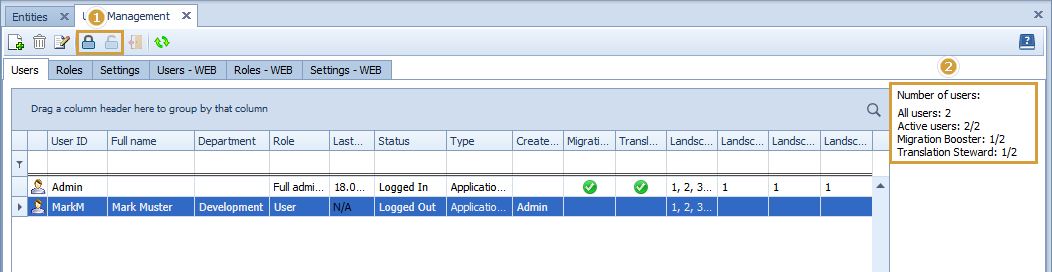
All users: Is the count of all user in the list
-
Active Users: Is the count of all unlocked users in the list in relation to all licensed users
-
Migration Booster: Is the count of all unlocked users activated for Migration Booster in relation to all licensed users for Migration Booster
-
Translation Steward: Is the count of all unlocked users activated for Translation Steward in relation to all licensed users for Translation Steward

Lock/Unlock Users
-
With the lock/unlock functionality (see point 1), you can lock or unlock users
-
If a user is locked, a logon is no longer possible into the application and is not counted for the number of users (see point 2)
-
If you insert a new license with fewer users, the difference in users will be locked - starting with the users whose "Last Logon" date is the furthest away.
Force logout
-
With the "force logout" functionality it is possible to force a logout for a user of the application. This could be helpful in the following cases
-
A user is logged in by mistake (e.g. program error)
-
You want to install a new version of the application and want to make sure that all users are logged out
-
-
If you start this functionality the user will get a message in the next minute, that he/she will be logged out in 30 (countdown) seconds. So at least in the next 90 seconds, the selected user will be logged out.