
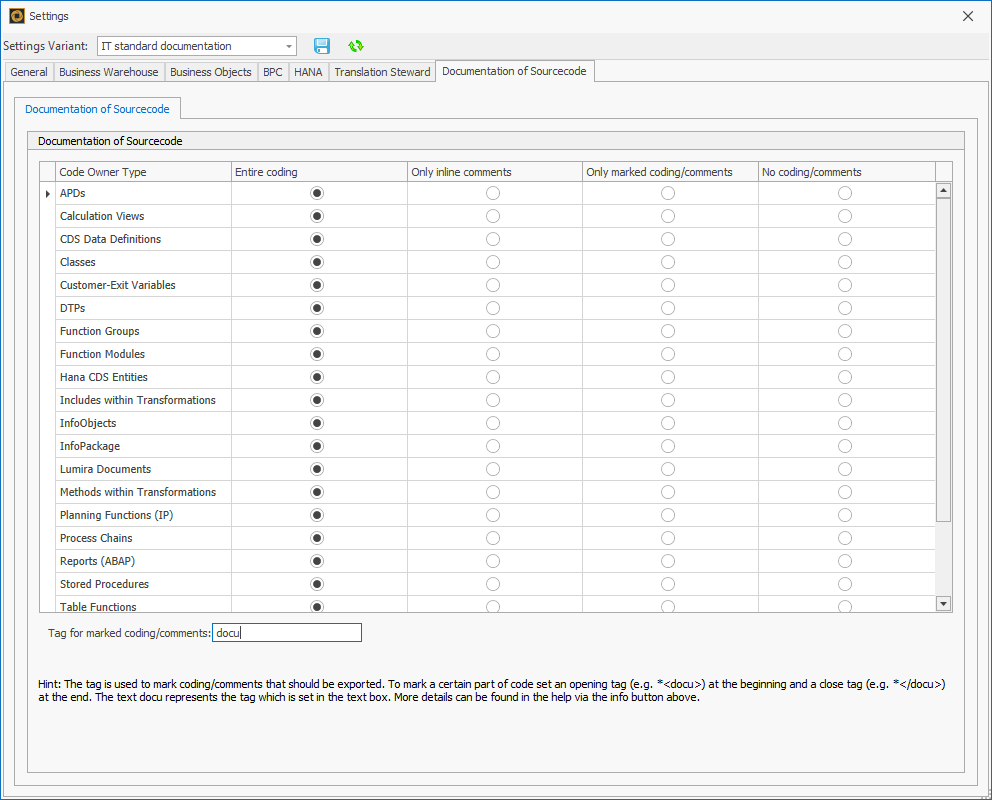
This setting offers the possibility to take over only defined parts of the source code in the documentation. For every object type can be defined individually whether...
-
the entire coding
-
only inline comments
-
only marked coding/comments
-
no coding/comments
...should be inserted.
The functionality supports different programming languages in the SAP context:
-
ABAP
-
AMDP
-
Data Definition Language (ABAP and HANA CDS)
-
BIAL (Lumira)
-
HANA Script (Table Functions, Calculation Views, Stored Procedures)
The text box at the bottom "Tag for marked coding/comments" is only relevant for the radio buttons "Only marked Coding/comments".
The entered value/text is valid for all object types for which the radio button is enabled.
Via the radio buttons the following 4 different options to export ABAP can be enabled:
-
Entire Coding
This setting causes that every line of the source code will be exported. -
Only inline comments
The setting „Only inline comments“ entails that only inline comments (marked in ABAP by * or “) of the source code will be exported. -
Only marked coding/comments
If the setting „Only marked Coding/comments“ is chosen, all segments marked by the sign for comment integration in the source code are exported in the documentation. In the source code the segments must be marked as follows:-
A segment begins with <comment sign> and ends with </comment sign>
-
The segment can enclose comments and coding
-
The opening and closing of a segment with the comment sign must take place of course within comments.
Sample: Comment sign is "docu"
The report in ABAP editor (the opening and the closing of the segment is marked):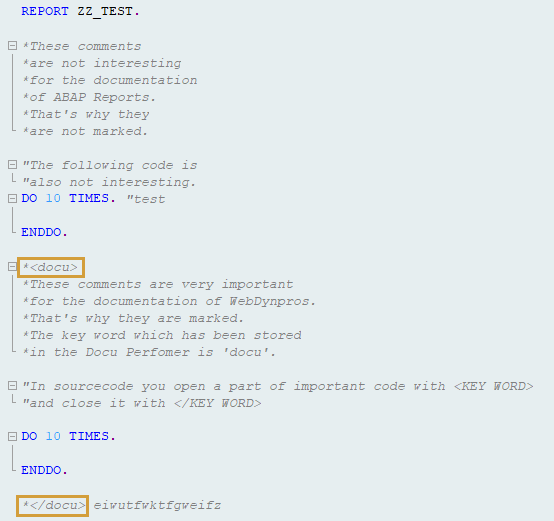
The export of this coding contains only the marked part: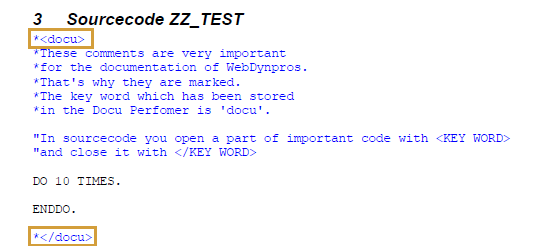
-
-
No coding/comments
By selecting this setting, no source code is integrated into the documentation.